


Sponsored Motorika 4.8 · Auto repair 1.1 km · 14 Lisova St Open · Closes 7 PM

Directions Call
We show your location to people searching nearby: on Google Maps, in local search and on YouTube. The foundation is a well-kept Google Business Profile, and the result is calls, directions and visits.
Google Maps on a phone: among the results the promoted pin of the Brewnest coffee shop appears, the person taps it and sees a place card with photos, rating, “Open” and the Directions, Call and Save buttons.
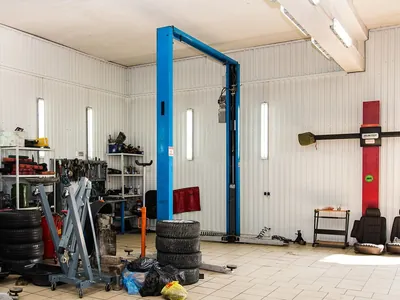
A phone search for “car repair near me”: three places appear under a map, and the first is a sponsored place ad for the Motorika garage with rating, distance, opening hours, a photo and the Directions and Call buttons.
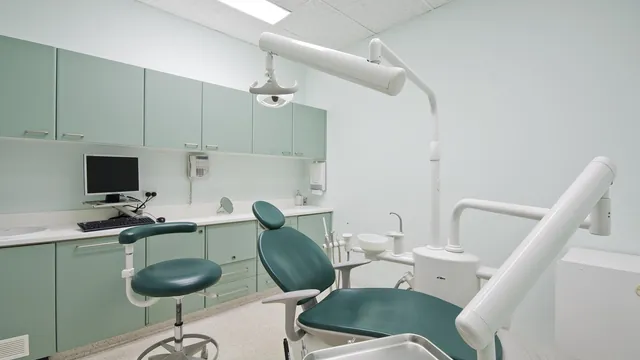
The Molara Dental place card in Google Maps: the person taps Directions, a 12-minute route appears on the map, then they tap Call and the advertiser gets a call from the ad.
Google Ads no longer has separate “Local campaigns”: they were moved into Performance Max with store goals. Today, advertising on Maps is made up of several mechanisms: location assets pulled from your Google Business Profile, Performance Max optimized for calls, directions and visits, Search campaigns with an address and a call button, and the Google Maps channel in Demand Gen campaigns, which Google is expanding from 2026.
The foundation of it all is your Google Business Profile. The right categories, business hours, photos and reviews affect both your organic ranking on Maps and how convincing your ads look. That's why we start with the profile, and only then set up campaigns, radii and call and direction tracking for each location.
Categories, business hours, photos, services, reviews, a verified address. We link the profile to Google Ads so your addresses become location assets in ads.
Performance Max with store goals for directions, calls and visits; Search campaigns with an address and radius for “near me” queries.
A radius around each location or a city district, “Presence” mode, and an ad schedule that matches your business hours.
Calls above a set duration, direction clicks, website visits and, where available, store visits, separately for each location.
Coffee shops, restaurants, bakeries: the decision takes minutes, and your pin on the map needs to be nearby at that exact moment.
Auto repair, tire shops, towing, phone repair: people look for the nearest option and immediately call or get directions.
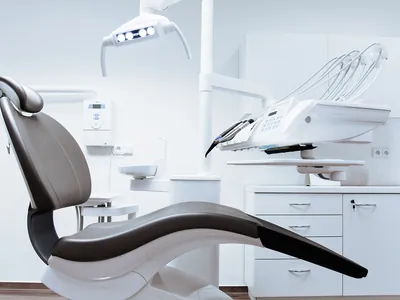
Barbershops, beauty salons, dental clinics: Maps shows the distance, rating and a call button, everything people need to choose a place close to home.
We group addresses by city or district to manage budgets and see each branch's results, while people see the location nearest to them.
Furniture, electronics, building materials: people choose online and buy after a visit. Ads lead them to a location where they can see the product and buy it.
Affiliate locations show the nearest chain store that carries your product, if the chain is on Google's list for the country.
Name, address, rating, business hours and “Directions” and “Call” buttons above the organic results, labeled “Sponsored”.
Your logo on the map instead of a standard pin; tapping it opens a card with the address, photos and an offer.
Address, distance and business hours from your Business Profile, added to Search and Display ads.
A phone number and a call button in the ad, shown only during the hours when someone can answer.
Headlines, descriptions, location photos and videos that Google assembles into ads for Maps, YouTube, Gmail and partner sites.
No templates: we adapt every item to your niche, margins and goals. Here’s what our launch checklist looks like.
If your ads are already running, let’s start with an audit. Here’s what usually eats up the budget in this campaign type.
A wrong category, outdated hours, no photos or a name stuffed with keywords. The ad leads to a listing that doesn't inspire trust.
Ads run without an address and don't appear on Maps, even though the business has a location people can visit.
The default “Presence or interest” setting is left on, and the budget goes to people who merely read about your city.
Even calls lasting a few seconds and misdials count as conversions, so the algorithm learns from noise instead of real inquiries.
All branches share one budget: the central location takes the impressions, the outskirts get no ads, and there's no report by address.
Ads with a call button show at night: people call, nobody answers, and the money is already spent.
You pay the ad budget directly to Google. Our fee is fixed — no percentage of spend below the Scale plan.
Didn’t find your answer? Ask us directly — we’ll advise for free.
To show your location on Maps, you need a verified Business Profile linked to Google Ads: that's where the address, business hours and rating come from. The exception is manufacturers that show retail chain addresses through affiliate location assets. If you don't have a profile or it has been suspended, we start by restoring it.
No, ads and organic results are separate mechanisms. Organic ranking depends on the profile's relevance, distance and prominence, while ads go through a separate auction. At the same time, a well-kept profile helps both: people click on it more readily, with or without ads.
We track calls, direction clicks and website visits for each location. Accounts that meet Google's requirements also get modeled store visits. We also recommend simple offline markers: a promo code from the ad, asking “how did you hear about us?” at checkout, or importing sales from your CRM.
If your profile address is hidden, visibility on Maps is limited, and the core becomes a Search campaign with a radius, call assets and inquiry tracking. Your Business Profile is still worth maintaining: it works in organic results and strengthens trust in your ads.
We connect all addresses from your Business Profile account, group locations by city or district and, if needed, split them into separate campaigns. That way each branch has its own budget and report, and people see the address nearest to them.
To call or get directions, people may never visit your site, since everything happens in the listing. But Performance Max and Search campaigns need a landing page, and it's often the website that convinces people to choose you. If you don't have a page or it's weak, we can build a landing page for your ads.
Leave your contact — a specialist will review your ads or website and prepare a short breakdown with concrete next steps. No obligations, no hard selling.
We reply within 1 business day
We use cookies
Necessary cookies keep the site working. Analytics and marketing cookies help us improve the site and show relevant ads. You can change your choice at any time. Privacy policy
Є українська версія цієї сторінки
Українською